
Adobe Max conference
- mlgmaxwell115
- Nov 2, 2021
- 3 min read
For this week I was at an adobe Max conference where I learned a lot about how to use some of the programs for beginners and I also learned a lot more technical tools. I also learned about the new feathers that are getting added. I’m going to talk about the most interesting ones that I watched and enjoyed.

I watched a few videos on updates adobe is doing to their programs such as smart filters in Adobe Photoshop. This will make it a lot easy to change the landscape to an image or change the sky. I had a go with some of the new features this is how they turned out.



Workshop:Transforming Images Anywhere with Photoshop
The forest image was just a normal forest in autumn but with this new filter, I was easily able to make it look like it was taken in winter. I’m really enjoying this new filter and I’m going to be using it a lot more to learn how to use it more profitably as there are default options for beginners but you can also manually do it yourself too.

Workshop:Transforming Images Anywhere with Photoshop
The image of the tram station looks like it was taken in the evening on a cloudy day but actually, it was taken in the afternoon and there were no clouds. This filter changes the whole image making the colours different and also adding different types of clouds. I’m really enjoying this new filter and I could use it to make all my images look so much better and change the mood of them.

Learning to Transform images with effects and colors was interesting but I also learned about how to use lightroom to make images look better.
Workshop: A Closer Look at the Ordinary: Mobile Photography Tips & Tricks
I found out of a new program called lightroom that turns bad image you took and turns it completely into a professional photo no matter how bad it is but this isn’t automatic you will have to do most of it manually but with some practice, it probably is wont be too hard to do this any time. Combined with the landscape and cloud/mood tools I learned in photoshop I’m excited to try it all out to see what I can do.
Workshop: Digital Publishing and Interactivity in InDesign
I have also learned more InDesign skills that will be helpful for the newsletter I was working on. I now know how to make the newsletter a lot more interactive and user-friendly.
Workshop: What's New in Character Animator
This was about how to turn myself into an animated avatar. This was interesting as I have always wounded how they did it, I have seen videos on twitch and youtube of people playing games and having an animated character move and talk when they did and now I know how to do it.

Workshop: Photoshop for Visual Design: Pro Tips and Techniques
I have also learned bout Visual Design in photoshop how to make apple icons and emojis. I have always wounded how they did this and always wanted to try to do it so now I know how I could have a go at making my own logo.

Workshop: Exploring the Many Drawing Methodologies in Illustrator
I learned a lot of amazing new tricks to make my work a lot easier in illustrator. This will be extremely useful for me in the future I just wish I knew about this sooner it would have helped me make my avatars twice as fast.
I have also learned some new stuff that I didn’t know anything about such as:
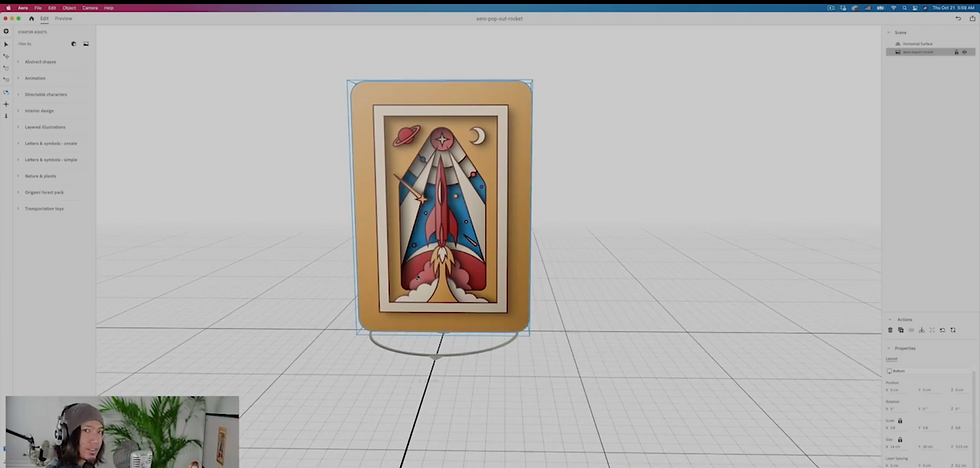
Workshop: Augmented Reality: Making Your Work Pop with Illustrator and Aero
how to turn 2D images and turn them into 3D images/animations.
Workshop: Leveling Up Your UX/UI Game Production with Ready at Dawn
how to make game lobby and hods in adobe XD

Adobe Max
Adobe Max also showed a quick demo of a new feature that lets you animate photos to make them move I was amazed at how simple it was to do and how well it actually looked sadly the live stream that showed that didn’t save so I didn’t have the title of their live
Here are some other ones that I watched
Creating Motion Graphics for Social Media
Transforming Any Document into a Digital Experience with InDesign - S300
Transforming Images Anywhere with Photoshop
Creating an Animated and Interactive Infographic - S558
Creating Casual Graphics with Typography and Illustration - L335
InDesign Automation: An Introduction to Creative Scripts - S307


Comments